Why Choose an Embedded Tablet for Industrial Use?
On a factory floor, information is useful only when workers can reach it at the point of action. An operator may need to check a work order, scan a component, or record a temperature without leaving a production line. An Embedded Tablet can bring these tasks into one fixed, accessible interface. It may be mounted on a control panel, vehicle, or workstation, depending on the workflow. Small change. Less walking. Fewer paper handoffs. Yet a tablet’s appearance alone says little about its suitability for industrial use. Dust, vibration, temperature swings, glove use, and cleaning routines can all affect daily performance. Details matter.
A sound choice starts with the actual environment and tasks, not a list of attractive specifications. Buyers should check screen visibility, touch response, mounting options, available ports, power requirements, and support for required software. They should also confirm operating temperature and durability claims in the manufacturer’s documentation. A device that works well in a clean office may struggle beside machinery or in bright light. And not every site needs a specialized tablet. Sometimes existing equipment is enough. That possibility deserves a fair look. The goal is not to buy the toughest device available, but to choose a dependable fit that workers can use, maintain, and replace with minimal disruption. That takes planning—and honest testing in the intended setting.
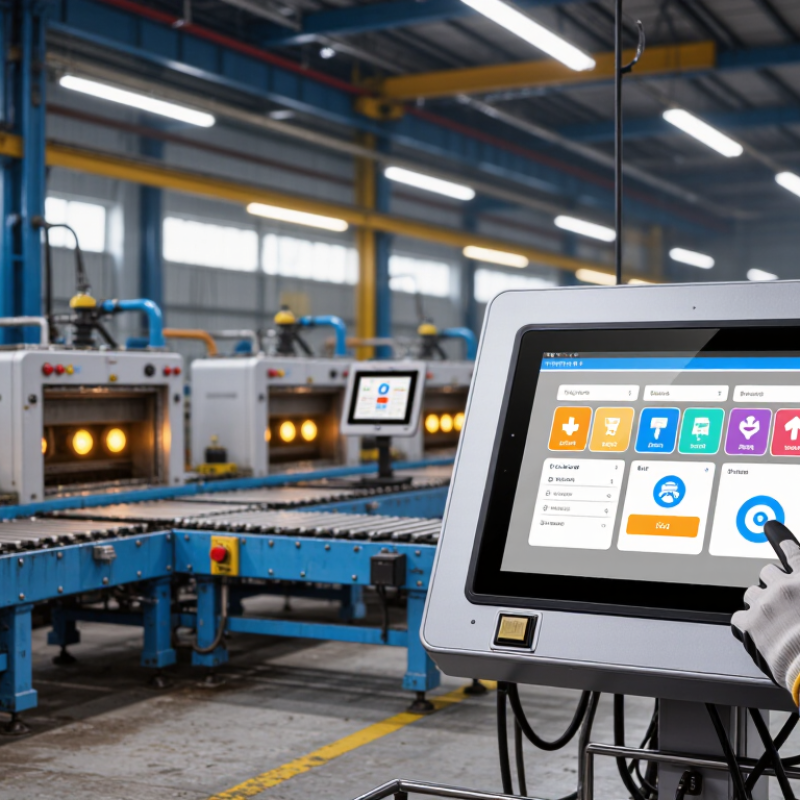
What Defines an Embedded Tablet for Industrial Use?
An embedded tablet for industrial use is a fixed computing interface built into a machine, control cabinet, or vehicle—not simply a consumer tablet inside a tough case. Its display, processor, power input, and mounting are selected to work as part of the equipment. A sealed front panel can help keep dust and splashes away, while a flush bezel is easier to wipe than raised buttons. Check the stated IP rating against IEC 60529; an IP rating describes tested protection, not resistance to every chemical or cleaning method.
Details matter.
Industrial models may also support glove touch, wide operating-temperature ranges, vibration-resistant mounting, and dependable wired connections such as Ethernet or serial ports. Requirements vary by site. A tablet near a cold loading dock needs different thermal performance from one inside a climate-controlled control room. IoT Analytics estimated 18.8 billion connected IoT devices worldwide by the end of 2024 in its State of IoT—Spring 2024 report. That growth makes local operator interfaces more relevant, but it does not mean every device needs a tablet. For a real installation, verify the manufacturer’s published temperature, shock, ingress, and service-life specifications; vague claims are not enough.
And sometimes, a simple physical switch is still better.
How Its Integrated Design Supports Reliable Operation
Why Choose an Embedded Tablet for Industrial Use?
An embedded tablet combines the display, computing hardware, and key connections in one industrial-ready unit. That integrated design can reduce separate boxes, cable runs, and mounting points around a production line. Fewer loose links. In a workshop, this may mean less time tracing a disconnected cable after vibration shifts a nearby enclosure. A compact installation also leaves more room for operators and routine cleaning.
Reliability still depends on the environment and installation. A sealed front can help limit dust and splashes, while a suitable temperature rating matters near warm machinery. Secure mounting and strain-relieved cables reduce stress on ports. The benefit is practical, not automatic: heat buildup, blocked vents, or an incompatible connector can undermine a tidy design. Check the device specifications against actual operating conditions, including temperature, vibration, and required interfaces. Even then, field conditions can surprise you.
Tips: Before installation, confirm mounting dimensions, cable access, and cleaning requirements. Leave room for airflow and service access. Record the unit’s temperature and connection checks during commissioning; that small habit can reveal problems early.
Which Industrial Advantages Set Embedded Tablets Apart?
An embedded tablet can bring control, monitoring, and work instructions into one rugged station. Its fixed installation reduces loose cables and misplaced devices near production lines. That matters. Operators can check machine status beside the equipment, rather than walking back to a shared terminal. A bright display and responsive touch input also help when staff need to read alerts under strong factory lighting.
Industrial advantages depend on the environment. A sealed enclosure can limit dust and splashes, while a wide operating-temperature range helps equipment cope with cold storage areas or warm control cabinets. Glove-compatible touchscreens make routine input easier, though thick gloves may still reduce accuracy. Mounting options can fit a panel, vehicle, or workbench, keeping the screen visible without taking up much space. These details can shorten small interruptions, but they do not guarantee higher output by themselves.
Service life and integration matter, too. A tablet designed for continuous operation may suit shift-based monitoring better than a consumer device. Check the available ports, network options, and mounting method against the actual equipment before selecting one. It is easy to overvalue a rugged casing and overlook heat buildup inside a cabinet. I would also question whether every station needs a touchscreen; in some workflows, buttons are easier to use. The best fit is the one that supports the task without adding unnecessary complexity.
Where Embedded Tablets Are Used Across Industries
Embedded tablets earn their place where work happens: on factory lines, forklifts, utility sites, and port equipment. In manufacturing, operators use them to check machine status, record inspections, and view instructions beside the production line. The International Federation of Robotics reports that 4.28 million industrial robots were operating worldwide in 2023, a 10% increase from 2022. As automation spreads, fixed, readable interfaces can help staff monitor equipment without returning to a control room. The screen still needs protection from vibration, dust, and gloved hands.
Ports and logistics hubs have different demands. UNCTAD’s Review of Maritime Transport 2024 states that ships carry over 80% of world trade by volume. Tablets mounted in vehicles or equipment can display loading tasks, scan labels, and update work records around busy yards. Small delays add up. In energy, the IEA reported nearly 510 GW of renewable capacity additions in 2023. Field technicians may use embedded displays to review system readings or service steps at remote installations, where stable connectivity is not guaranteed.
These figures describe growing industries, not proof that every site needs a tablet. A poorly placed screen can create glare, obstruct controls, or invite repeated cleaning. That trade-off matters. Site trials should test viewing angles, temperature, cleaning routines, and offline operation before devices become part of daily work.
What to Evaluate When Choosing an Embedded Tablet
Why Choose an Embedded Tablet for Industrial Use?
What to Evaluate When Choosing an Embedded Tablet
Choosing an embedded tablet starts with the work environment, not the screen size. A unit mounted beside a conveyor may face vibration, dust, cleaning sprays, and constant glove use. Check its operating temperature range and ingress protection rating against actual conditions. A rating alone is not a guarantee; mounting, cable openings, and maintenance also matter. Small details matter.
Next, test the display where operators will use it. Reflections from overhead lights can hide readings, while thick gloves may make small buttons frustrating. Look for adjustable brightness, useful viewing angles, and touch input suited to the team’s gloves. Check whether the screen stays responsive when wet, if that is part of normal operation.
Plan for installation and support, too. Confirm the required power input, connector types, mounting dimensions, and access to ports before ordering. Make sure the device can communicate with existing equipment and software; compatibility can take more time than expected. Ask how updates, replacement parts, and repairs are handled. A rugged enclosure helps, but it cannot fix poor placement or neglected maintenance. Sometimes the best choice is less powerful, but easier to service.
Why Choose an Embedded Tablet for Industrial Use? - What to Evaluate When Choosing an Embedded Tablet
| Evaluation Area | Why It Matters | What to Evaluate | How to Verify |
|---|---|---|---|
| Operating temperature | Industrial equipment may operate near heat-producing machinery or in unheated areas. | Check the manufacturer-rated operating range and compare it with the temperature at the installation point. Do not confuse operating limits with storage limits. | Review the product specification and test the device under expected ambient conditions and workload. |
| Ingress protection | Dust, splashes, and cleaning procedures can affect reliability and service life. | Choose an IP rating suited to the actual exposure. An IP rating applies to specified test conditions and does not automatically indicate resistance to chemicals or high-pressure washing. | Check the documented rating for the complete installed configuration, including connectors and covers. |
| Display and touch operation | Operators may need to read the screen under bright lighting or use it with gloves. | Assess brightness, viewing angles, glare, touch technology, glove compatibility, and response to water if relevant. | Test the display at the planned mounting angle and lighting level, using the gloves and input methods operators will use. |
| Mounting and enclosure | A suitable fit reduces movement, cable strain, and installation issues. | Confirm dimensions, mounting pattern, orientation, bezel design, and access to serviceable parts. Check whether the unit is intended for panel, arm, or VESA-style mounting. | Compare mechanical drawings with the enclosure and verify clearances, fasteners, and cable routing before installation. |
| Processor, memory, and storage | Performance requirements vary with the operating system, interface, and number of applications running. | Size resources for the actual software workload. Consider storage capacity, endurance, free space, and whether memory or storage can be upgraded. | Run the intended applications together and measure responsiveness, storage use, and performance under sustained operation. |
| Operating system and lifecycle | Software compatibility and security updates affect deployment and long-term support. | Confirm compatibility with required drivers, applications, management tools, and update policies. Ask about the supported OS version and product availability period. | Validate the full software stack and obtain written details about update, support, and end-of-life policies. |
| Connectivity and I/O | Industrial systems often need dependable links to controllers, scanners, networks, or peripherals. | List required Ethernet, USB, serial, wireless, and other interfaces. Check connector type, port count, protocol support, and whether adapters are acceptable. | Connect representative devices and verify communication, cable reach, and operation in the intended network environment. |
| Power and uptime | Unstable power or unplanned restarts can interrupt operator workflows and data collection. | Check input voltage range, power consumption, startup behavior, shutdown handling, and recovery after power loss. Consider whether backup power is required. | Test with the site's power supply and confirm recovery behavior against operational requirements. |
| Vibration and shock | Equipment mounted on vehicles or machinery may experience vibration and impacts. | Review documented vibration and shock limits for the device and its mounting method. The installation can influence the level of stress transmitted to the tablet. | Compare test specifications with site conditions and assess the assembled mounting system. |
| Serviceability and total cost | Downtime, replacement parts, and maintenance can outweigh the initial purchase price. | Evaluate warranty terms, repair options, spare-part availability, expected service life, and the effort required to replace or update the unit. | Compare lifecycle costs and support commitments across the expected deployment period. |
| Selection note: Specifications should be matched to the installation environment and application workload. Verify ratings and compatibility for the complete system, not just the tablet in isolation. | |||
